What's inside Keystone
Nine surfaces, one raise. Here's every page you'll use as a Keystone client, what it does, and how your dedicated broker fits in.
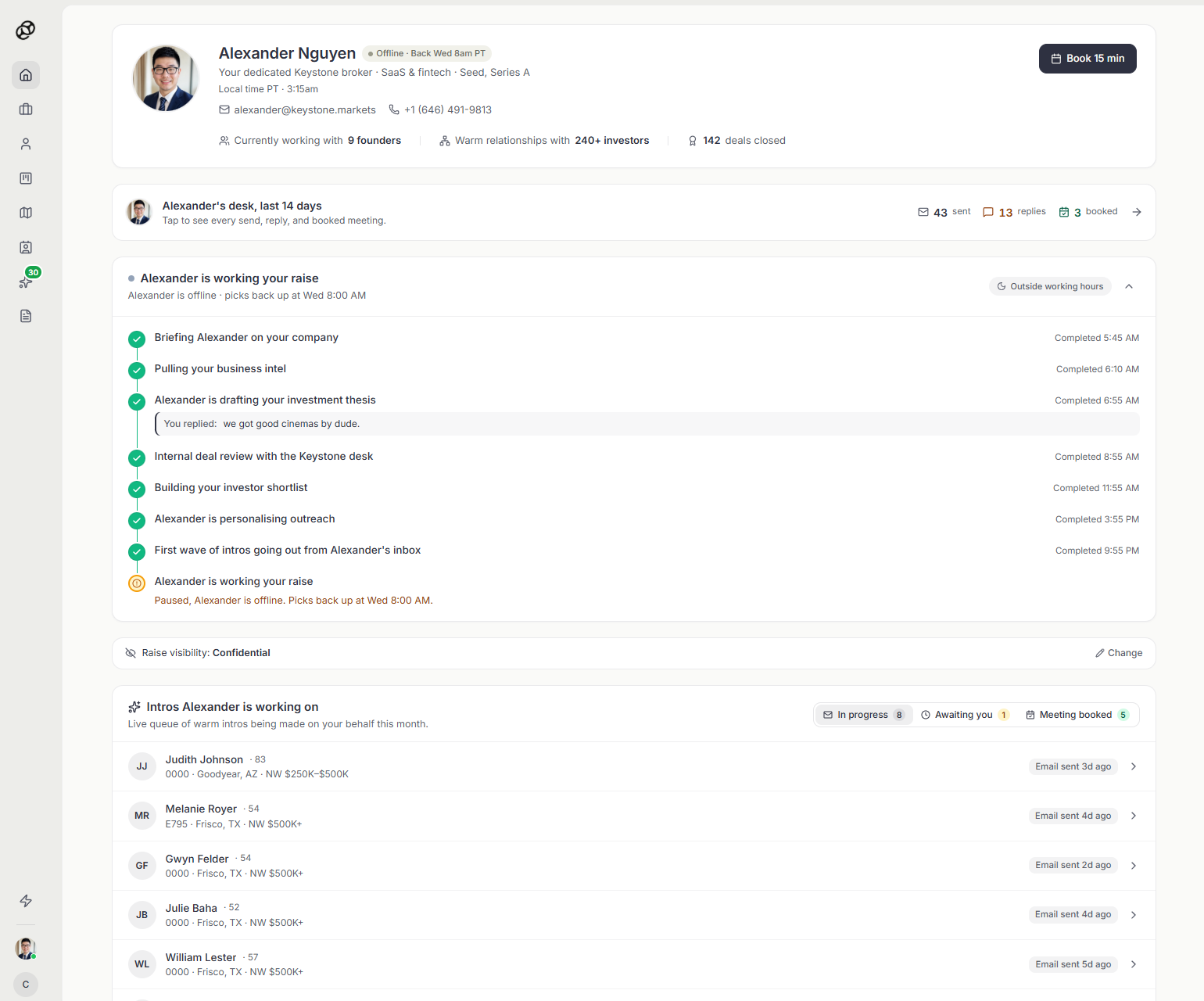
Your dedicated broker, on day one
The home dashboard puts your personal Keystone broker front and center, the human running your raise. You see exactly what they're working on this week, the warm intros in flight, their specialization, the number of founders they're currently helping, and how many deals they've already closed.
Book a 15 minute call with them directly from this page to walk through your company, your round, and how they'll position you to investors.
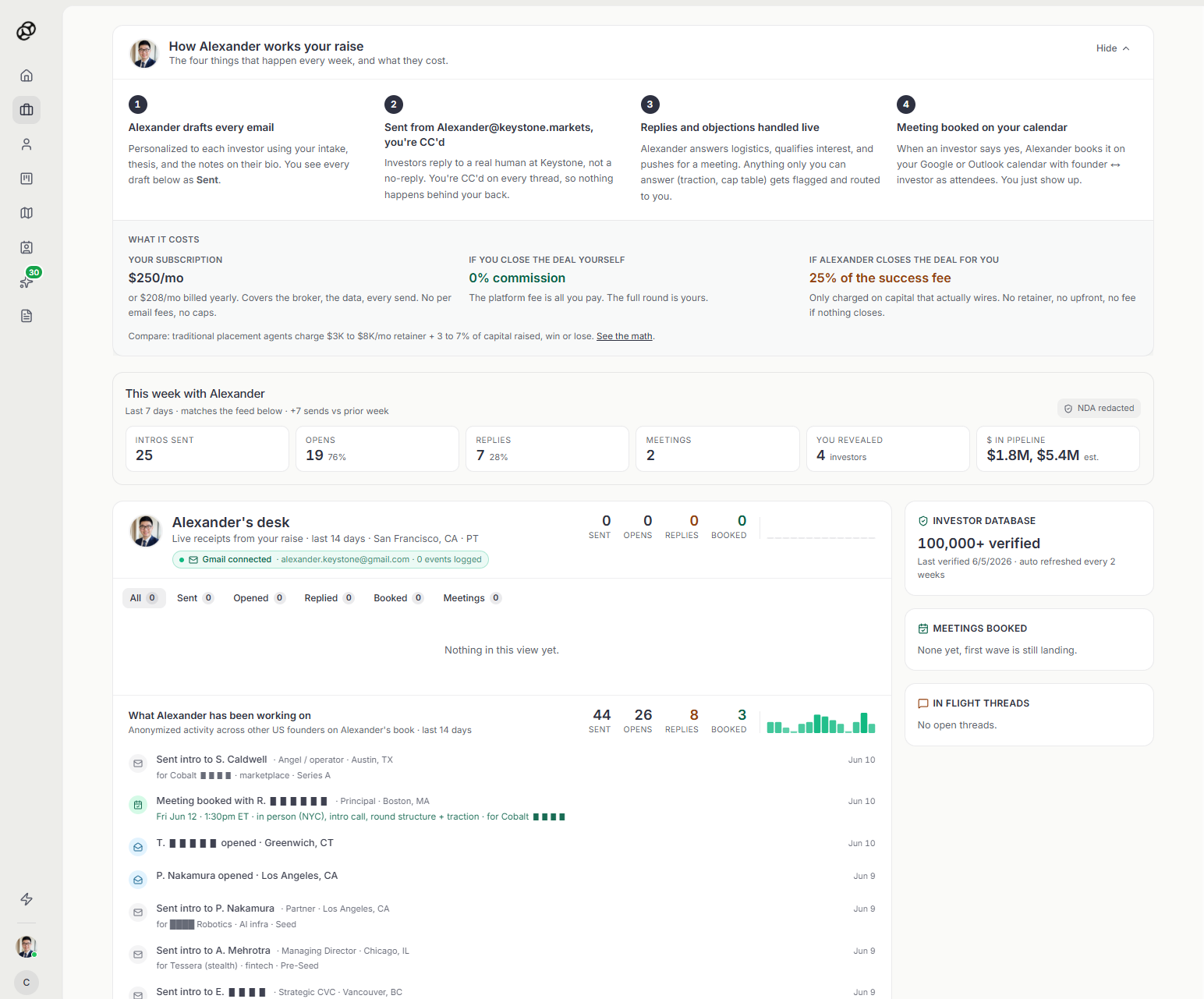
Live receipts of every move on your raise
The broker's desk is the detailed view of everything your broker is doing right now, every email sent, every reply, every meeting booked, every investor opened. Nothing happens behind your back.
You'll also see anonymized activity from other founders on your broker's book so you can benchmark velocity. Confidential information from other raises is always redacted.
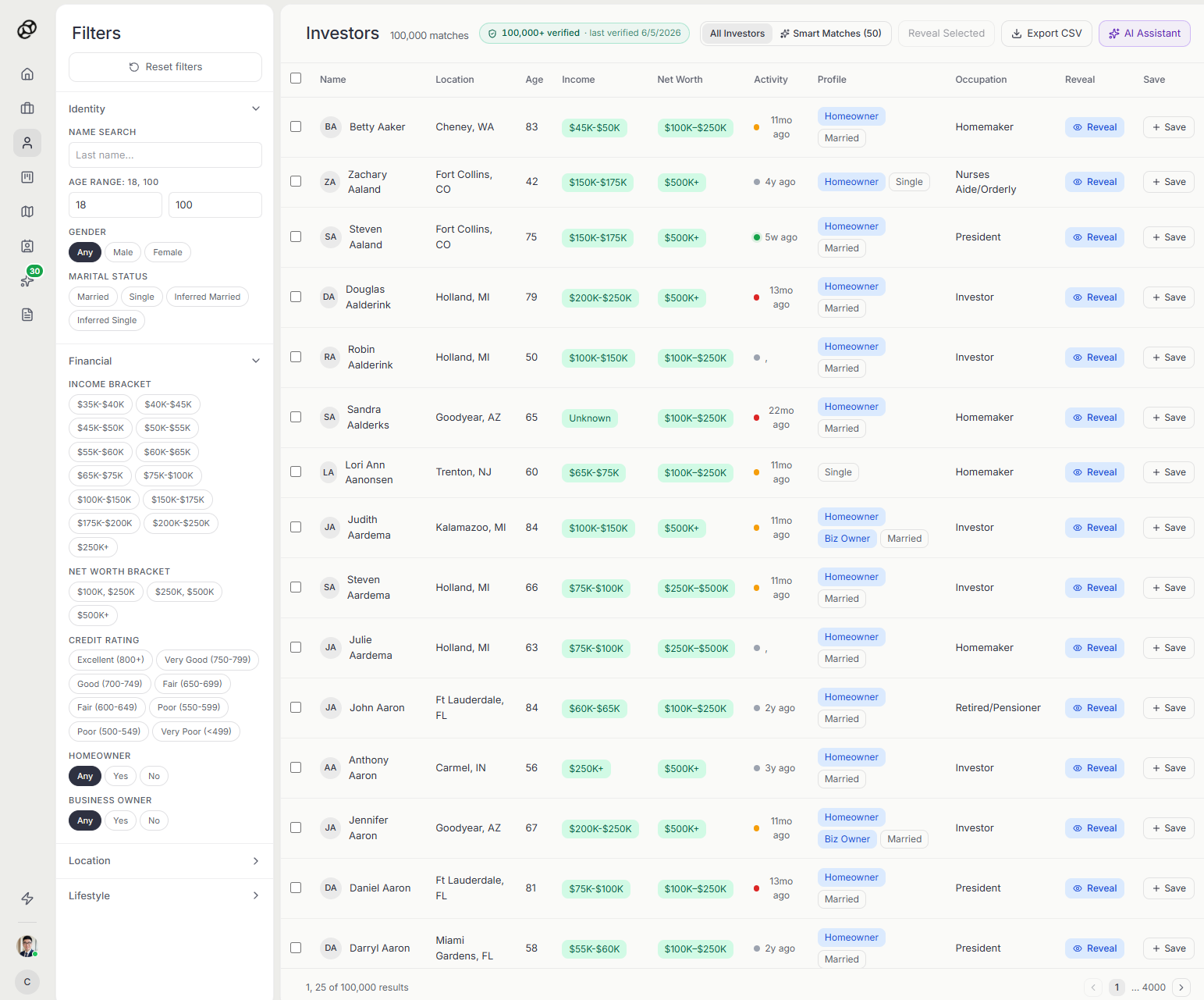
Search 100,000+ verified investors yourself
The full investor database is open to you. Filter by income, net worth, geography, occupation, marital status, homeownership, and more. Reveal any investor's contact information directly.
If you find an investor here and close them yourself, you owe zero commission on the round. Your broker is recommended for dealflow, documentation, and the heavier lift of running a structured raise, but the database is yours to use.
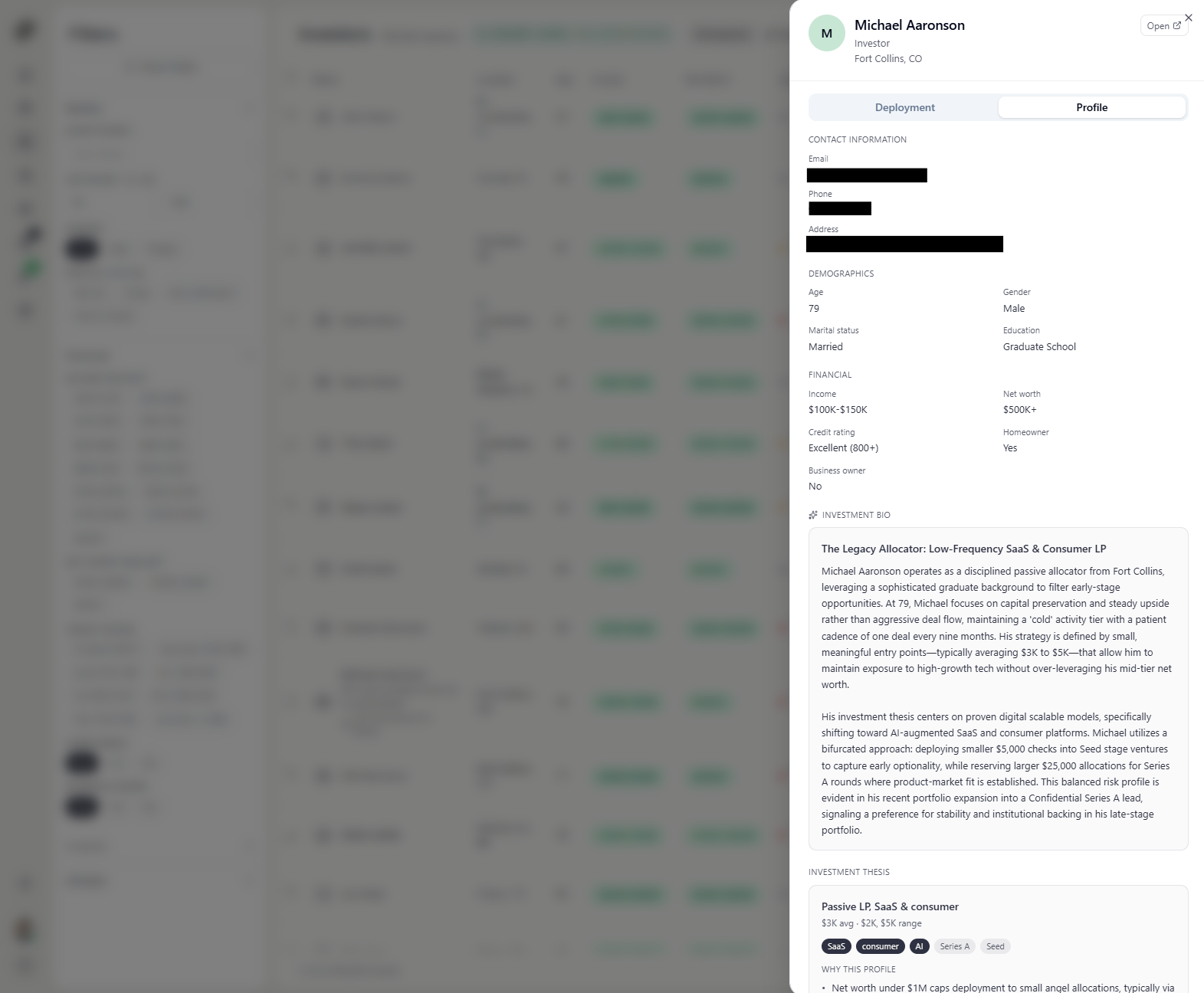
Everything you need on a single investor
Click any revealed investor to open their full profile, contact information, demographics, financial bracket, credit rating, and an AI generated investment bio explaining their thesis, typical check size, and past behavior.
You can also see why they were matched to your company and what to lead with when you reach out.
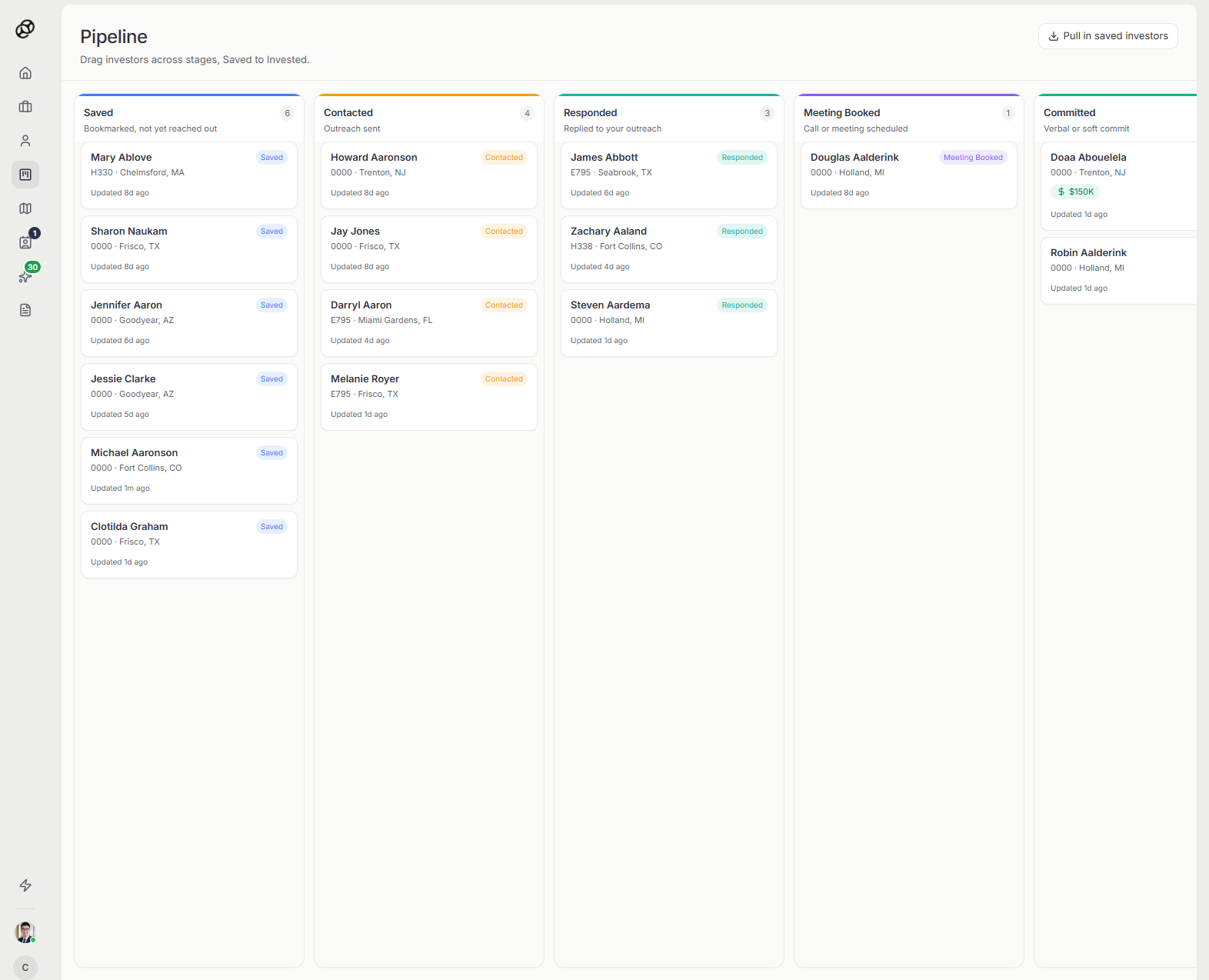
Track every investor from Saved to Invested
Your pipeline is a drag and drop board across seven stages, Saved, Contacted, Responded, Meeting Booked, Committed, Invested, and Passed. Move cards as conversations progress.
Committed and Invested columns track dollar amounts so you always know where your round actually stands.
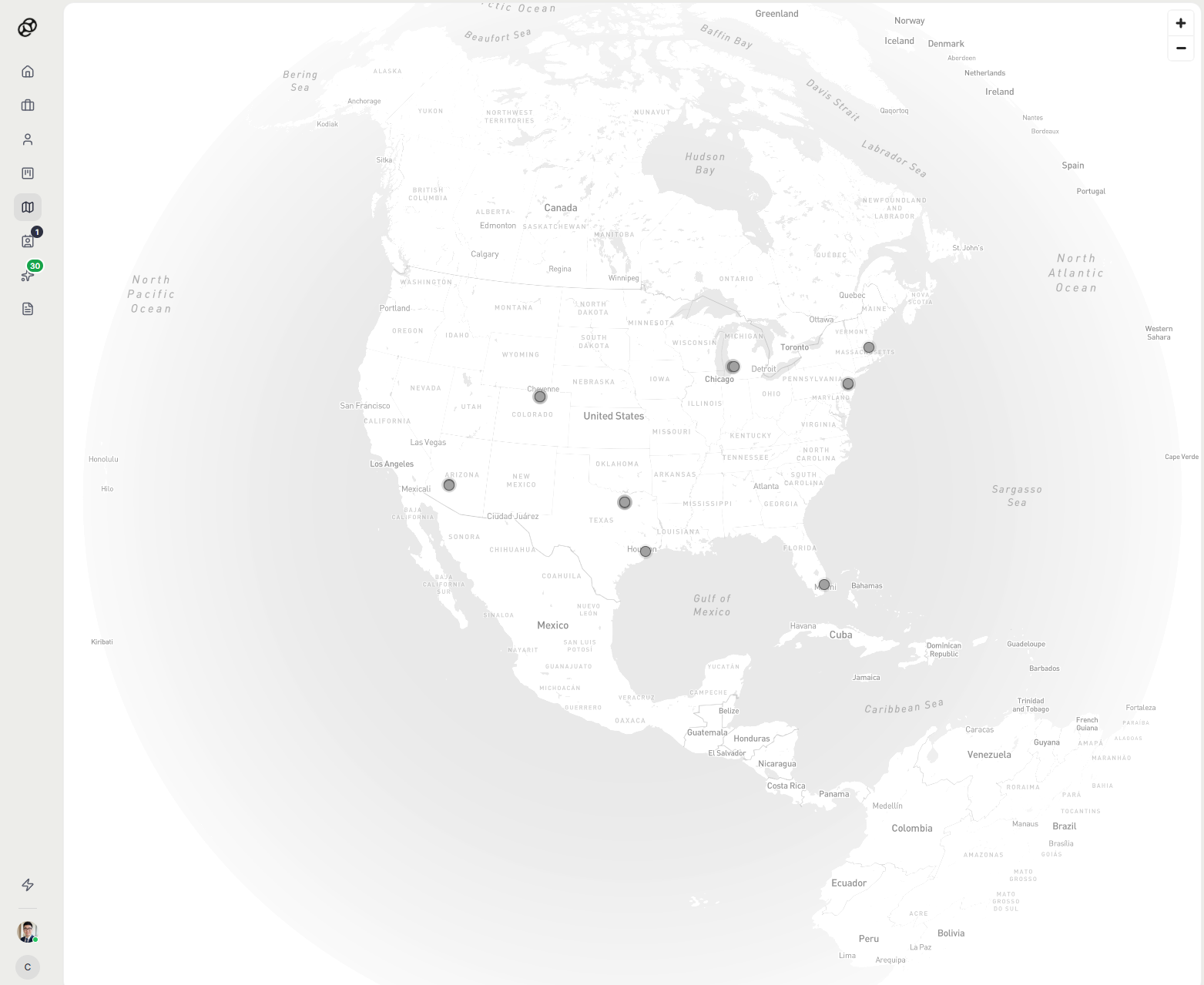
See where your investors actually are
Every revealed investor appears on the globe map by their location. Useful when you're planning travel, hosting a dinner in a city, or just want a quick read on the geographic spread of your round.
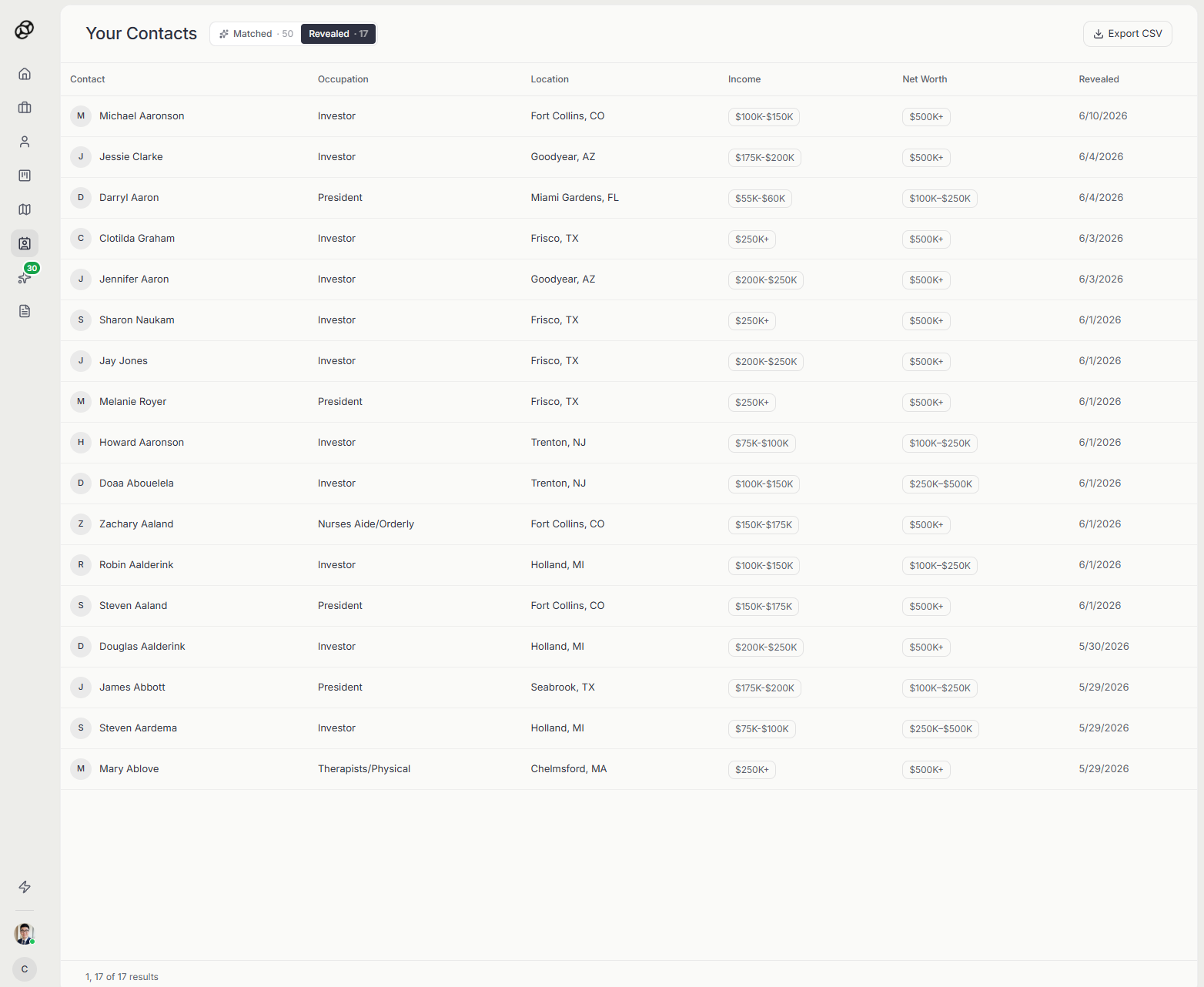
Your revealed investors in one clean list
Every investor you or your broker have revealed lands here with their contact details, location, income, and net worth. Export to CSV in one click and drop it into your CRM or outreach tool.
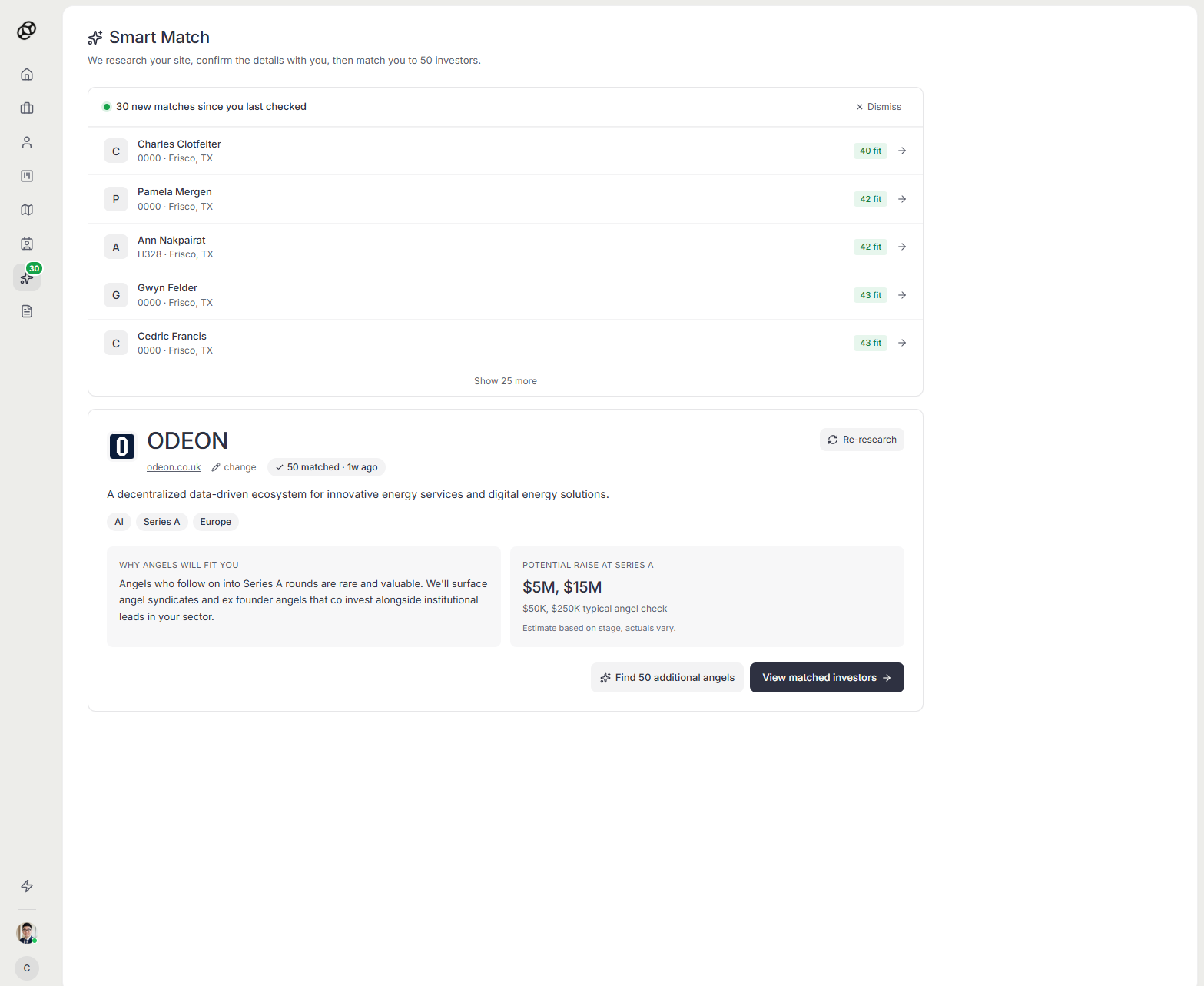
Paste your URL, get 50 matched investors
Smart Match is the proprietary algorithm at the core of Keystone. Paste your company URL and it researches your business, builds a structured profile, confirms the details with you, and matches you against the verified database to surface 50 investors most likely to back a company like yours.
Your broker uses the same output as the starting point for personalized outreach.
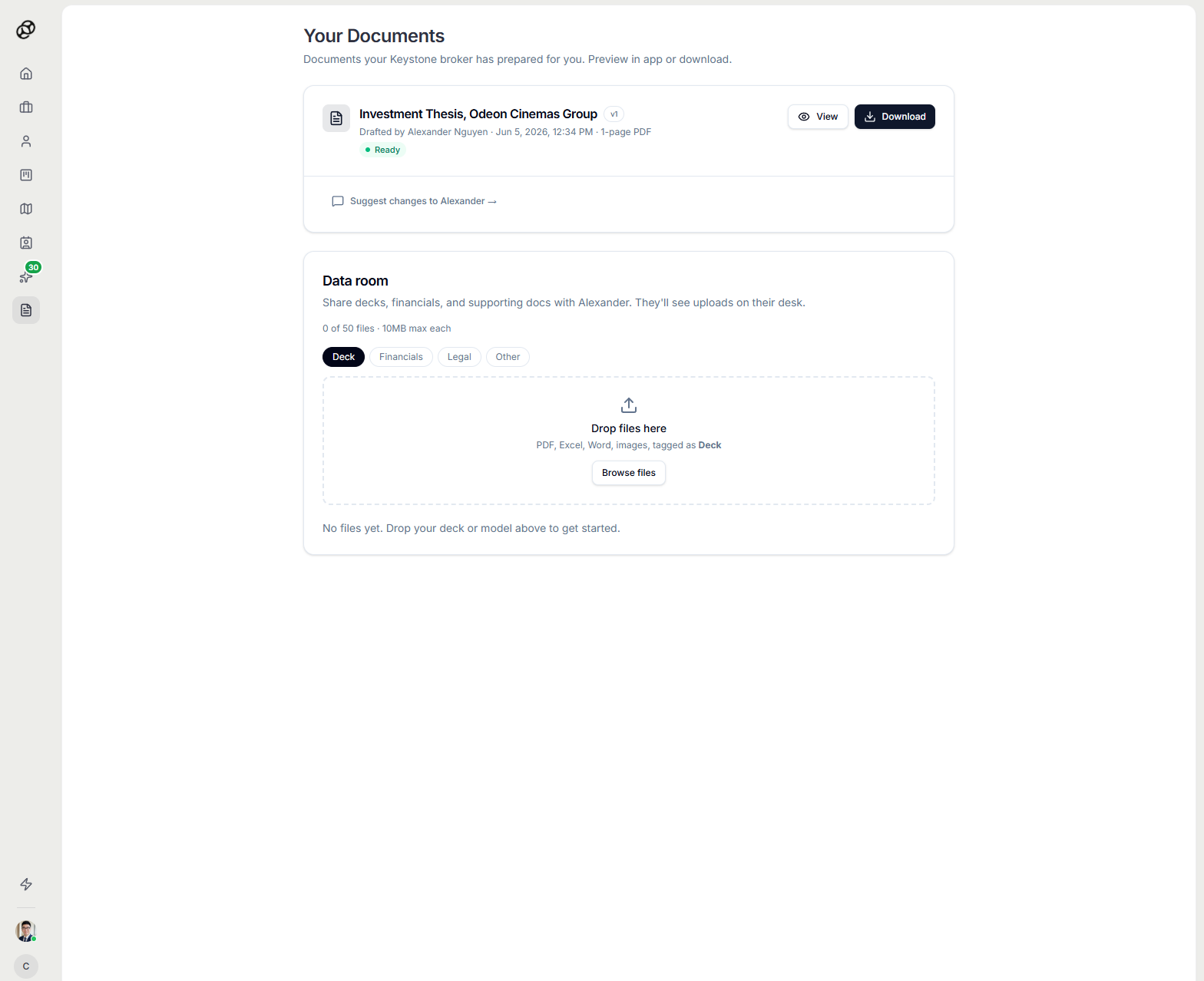
Broker drafted docs and your data room in one place
Your broker prepares your investment thesis and supporting documents here for your approval. Preview them in app, suggest changes, or download.
The data room is where you upload your deck, financials, legal, and other diligence material. Investors who want more after the first conversation pull it from here.
Ready to see it on your raise?
Book a 15 minute walkthrough with a Keystone broker, or jump straight in.